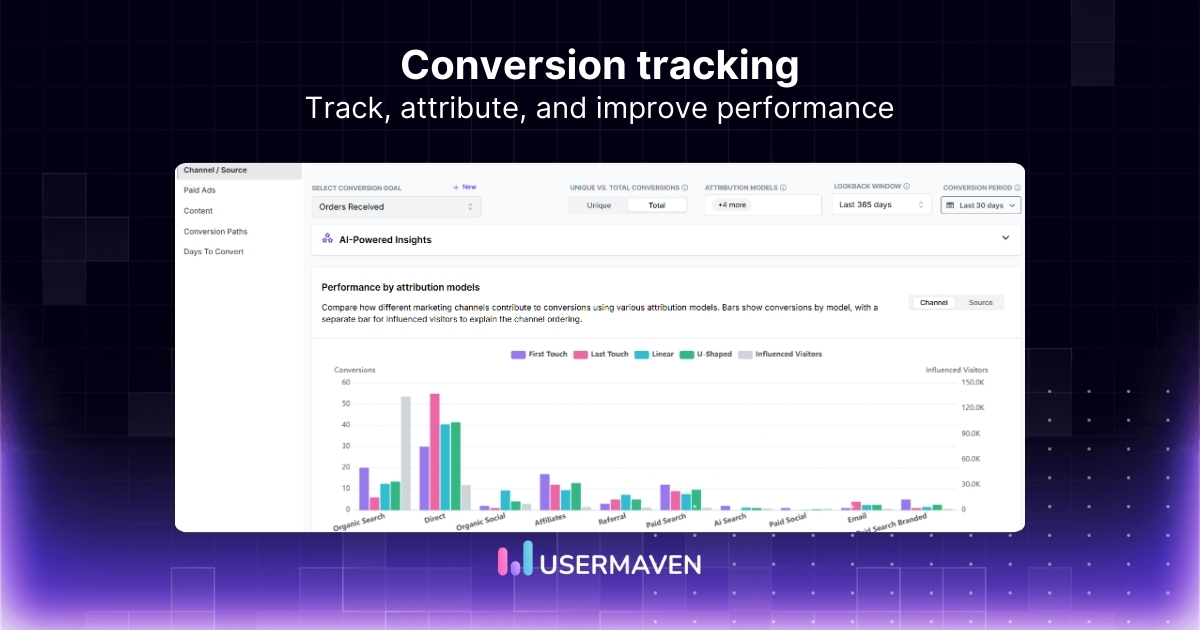
Plenty of things can look promising in your analytics. Traffic rises, ads get clicks, and landing pages pull people in.
The harder question is what happens next. Without conversion tracking, it is difficult to tell which efforts are driving real results and which ones are just creating noise.
In this guide, we’ll break down what conversion tracking is, which metrics to pay attention to, and how to set it up so your reporting leads to better decisions.
What is conversion tracking?
Conversion tracking measures what people do after they interact with your marketing. It tells you whether a visit turns into a meaningful action, not just another session.
After someone clicks an ad, reads a blog post, or opens an email, you can see whether they take a step that moves them closer to revenue. This works because it’s built on event tracking. You track the exact actions that matter, then map them to your conversion funnel to see what’s working, what’s leaking, and where visitors stall.
What are conversion goals, and what should you track?
Conversion goals are the outcomes you want visitors to complete. Goal tracking keeps those outcomes consistent so you can compare channels, campaigns, and time periods without changing the definition midstream.
Common conversion goals include:
- Demo request
- Free trial start
- Purchase or checkout complete
- Lead form submission
- Newsletter signup
- Account signup
Once goals are defined, track the supporting events that lead to them. Think pricing views, CTA clicks, form starts, checkout steps, and confirmation events. You need everything to pinpoint where people drop out of the conversion funnel.
Also read: How to calculate conversion rate effectively
Why conversion tracking matters for growth
The importance of conversion tracking becomes clear the moment you stop treating traffic as the end goal.
Here’s where that value really starts to show.
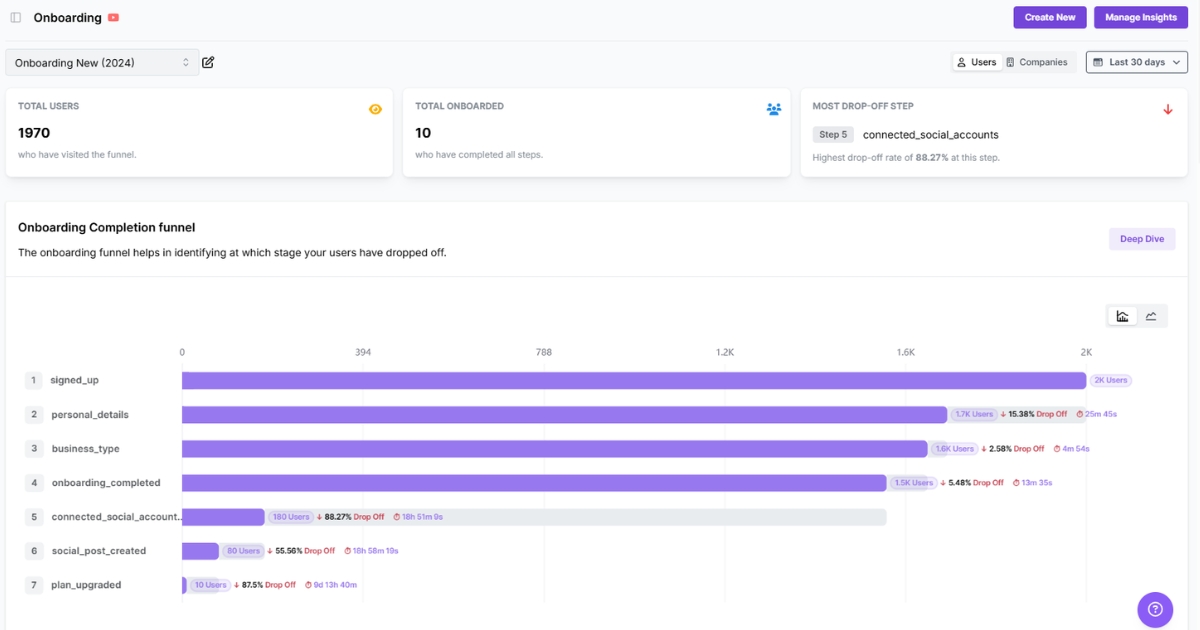
- It shows what is creating a real business impact. Conversion tracking shows which campaigns, pages, and channels are turning attention into revenue, pipeline, or qualified demand.
- It helps you find where the funnel is losing people. A good funnel view makes conversion analysis more useful by showing where people move forward, hesitate, or leave.
- It gives your reporting more direction. Clear conversion metrics help you focus on actions tied to revenue and intent, including B2B sales funnel conversion rates.
- It helps teams make better growth decisions. Better tracking yields stronger signals, so teams can improve campaigns and pages based on what is actually driving results.
[business_growth]
Conversion tracking KPIs worth paying attention to
Once you start tracking conversions, the next challenge is knowing which numbers actually deserve attention.
Here are the KPIs that make conversion rate tracking more useful and give you a clearer view of performance.
- Conversion rate: Percentage of visitors who complete a desired action. That action could be a purchase, a signup, a demo request, or a form submission.
- Total conversions: Total number of completed actions over a set period. It helps you understand how much conversion activity your site or campaign is generating.
- Bounce rate: Percentage of visitors who leave after viewing just one page. It can help you spot landing pages that are failing to hold attention or guide people to the next step.
- Landing page conversion rate: Measures how well a specific landing page turns visitors into conversions. It helps you see which entry pages are doing their job and which ones need improvement.
- Customer acquisition cost: How much it takes to turn a lead or visitor into an actual customer. It gives conversion tracking more business context by tying actions to customer growth.
- Number of sessions per user: How many visits a user usually has before converting. It helps you understand whether conversions tend to happen quickly or after multiple touchpoints.
- Form completion rate: Measures how many people who start a form actually finish and submit it, with submissions tracked over time. This metric is useful for spotting friction in lead generation or signup flows.
- Cart abandonment rate: How often shoppers add items to their cart but leave before completing the purchase. It helps ecommerce teams see where buying intent is being lost.
- Return on ad spend: The revenue you earn for the money spent on ads. It helps you judge whether paid campaigns are bringing in conversions that are actually worth the cost.
How to set up conversion tracking
Good conversion tracking starts with a clear setup. If the foundation is messy, the reporting will be too.
Here’s how to build it to give you cleaner data, clearer reporting, and a better view of what is actually driving action.
1. Define the actions that count as conversions
Start by deciding what a conversion actually means for your business.
That could be a purchase, a demo request, a signup, a form submission, or another action tied to growth. The clearer the goal, the cleaner the tracking.
A good place to start is with actions that show real intent, such as:
- completed purchases
- booked demos
- free trial signups
- lead form submissions
- checkout completions
2. Map the path before the conversion
A conversion usually happens after a series of steps, not all at once.
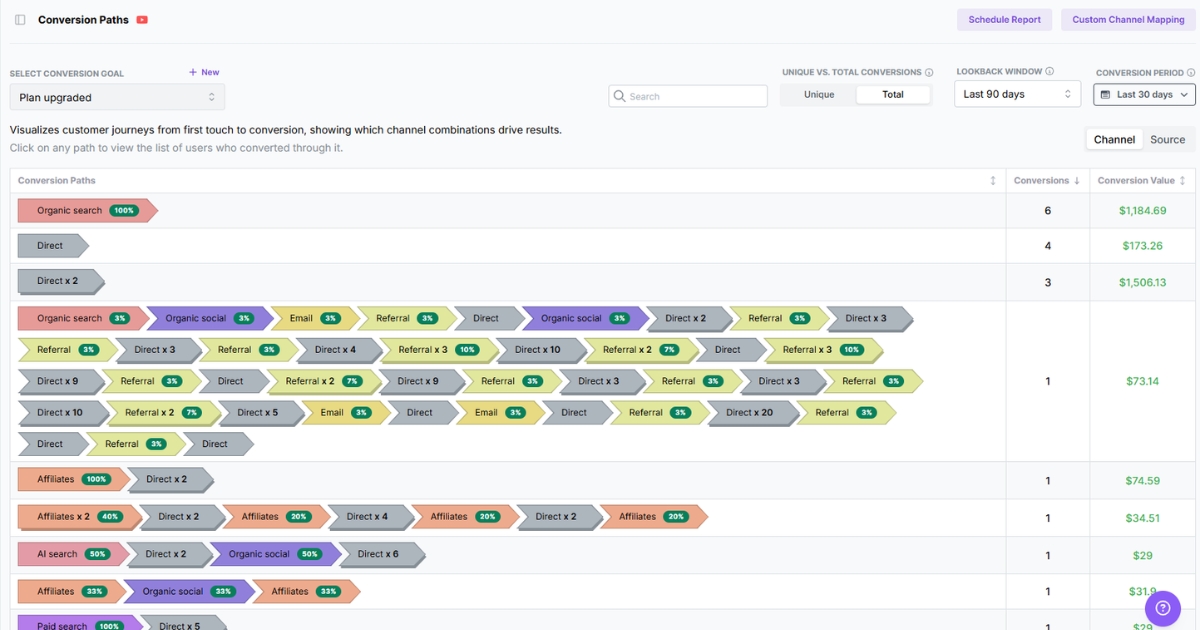
Someone lands on a page, browses, clicks, returns, and then acts. Mapping that journey helps you understand what needs to be measured along the way.
This is where conversion path analysis becomes useful. It shows how people move toward a result rather than just highlighting the final action.
3. Set up goals and events inside your tracking platform
Once the key actions are clear, the next step is to track them properly.
That usually means setting goals for outcomes and events, and for the important actions leading up to them. A good conversion tracking tool should make both easy to define and verify, whether you are using conversion tracking Google Analytics or another analytics platform.
Depending on your setup, you may want to track things like:
- button clicks
- form starts
- form submissions
- add-to-cart actions
- checkout steps
- trial signups
Related: Top conversion rate optimization tools
4. Test the setup before you trust the data
Tracking is only useful if the data is accurate.
Before you rely on the numbers, test each action yourself and automate tracking tests to confirm it appears correctly in your reports. This is one of the most important parts of the setup.
If the setup is wrong, the reporting will be misleading from the start.
5. Build your funnel around the journey that matters
Once the core tracking is working, group those actions into a funnel view.
This helps you see how people move from one step to the next and where they leave before converting. It also gives you a better foundation for conversion funnel optimization over time.
A simple funnel might look like:
- landing page visit
- product or pricing page view
- form start or add to cart
- checkout or signup step
- completed conversion
6. Review performance and refine the setup
Conversion tracking is not something you set once and leave alone.
As pages, campaigns, and offers change, your tracking setup should change with them. Review the data regularly to ensure it still reflects how people actually convert.
If you notice a drop in conversion rate over time, that is your cue to look more closely at the journey, the funnel, and the setup behind the reporting. A reliable conversion tracking software helps you spot those shifts earlier and keep the data tied to what actually matters.
How conversion tracking works across ad platforms
Conversion tracking gets more important once paid ads analytics enter the mix.
An ad click can tell you someone responded. It cannot tell you whether that click led to a signup, purchase, demo request, or qualified lead.
Most major ad platforms let you track those actions directly. Google Ads, Meta Ads, LinkedIn Ads, and similar platforms can all connect campaign activity to on-site conversions.
That helps you do two things:
- See which campaigns are driving actual results
- Sync conversions to ads so each platform can optimize using actions that actually matter
The most common setup usually includes:
- Google Ads: Best for tracking actions from search, display, and YouTube campaigns
- Meta Ads: Useful for purchases, leads, registrations, and landing page conversions
- LinkedIn Ads: Especially relevant for B2B goals like demo requests and lead form submissions
- Other platforms: Channels like TikTok and X also support conversion tracking through pixels or event-based setup
The real value is knowing whether paid traffic is turning into outcomes that actually matter.
Pro tip: If you’re using LinkedIn Ads and want to catch the kinds of mistakes that can quietly hurt performance or throw off your tracking, our blog on LinkedIn Ads mistakes is worth a look.
GA4 conversion tracking vs. Usermaven
GA4 conversion tracking can work, but it often takes more setup, more interpretation, and more patience than teams expect.
If you want a simpler setup and a clearer reporting experience, the difference usually looks like this:
| Area | Usermaven | GA4 conversion tracking |
| Setup | Simpler to get started with a cleaner setup experience | Often needs more manual event setup, configuration, and admin work |
| Ease of use | Built to be easier to read and use day to day | Powerful, but not always easy for non-technical teams to follow |
| Conversion visibility | Conversion paths and results are easier to see in one place | Conversions can feel buried across reports and event configuration |
| Funnel clarity | Makes funnel performance easier to follow | Requires more custom exploration to understand drop-offs |
| Attribution | Connects conversions to channels and touchpoints more clearly | Useful, but it can take more effort to interpret across journeys |
| Dashboarding | Dashboards are easier to tailor around conversion goals | Flexible, but often needs more customization to feel decision-ready |
| Google Ads conversion tracking | Gives a broader conversion view alongside attribution and on-site behavior | Works well inside the Google ecosystem, especially for ad-linked reporting |
| Ecommerce conversion tracking | Easier to use for teams that want faster insight from store performance | Supports it, but setup can feel technical for smaller teams |
| WooCommerce conversion tracking | More straightforward for teams that want cleaner tracking with less friction | Usually needs a plugin, an event, or custom setup work |
Common challenges with conversion tracking
Conversion tracking can tell you a lot, but only if the setup holds up.
Here are common challenges that tend to cause the most problems.
- Tracking too many low-value actions: When every click gets treated like a meaningful event, reporting fills up with noise, and the metrics that matter get buried.
- Broken or inconsistent setup: Duplicate events, missing tags, and tracking errors can quietly distort your numbers and lead to the wrong conclusions.
- Too much focus on the final conversion: Looking only at completed actions leaves out the steps leading up to them, which is usually where the real friction shows up.
- Outdated tracking as the site changes: New landing pages, updated forms, and changing funnels can all make old tracking setups less reliable over time.
How Usermaven strengthens conversion tracking
Usermaven is an AI-powered analytics and attribution platform designed to provide conversion tracking with greater clarity, depth, and accuracy. It helps teams move beyond isolated conversion counts and understand exactly how conversions happen, where they come from, and what drives them.
That matters because good conversion tracking is not just about recording an action. It is about seeing the full story behind that action, from first touch to final conversion, so your reporting leads to better decisions.
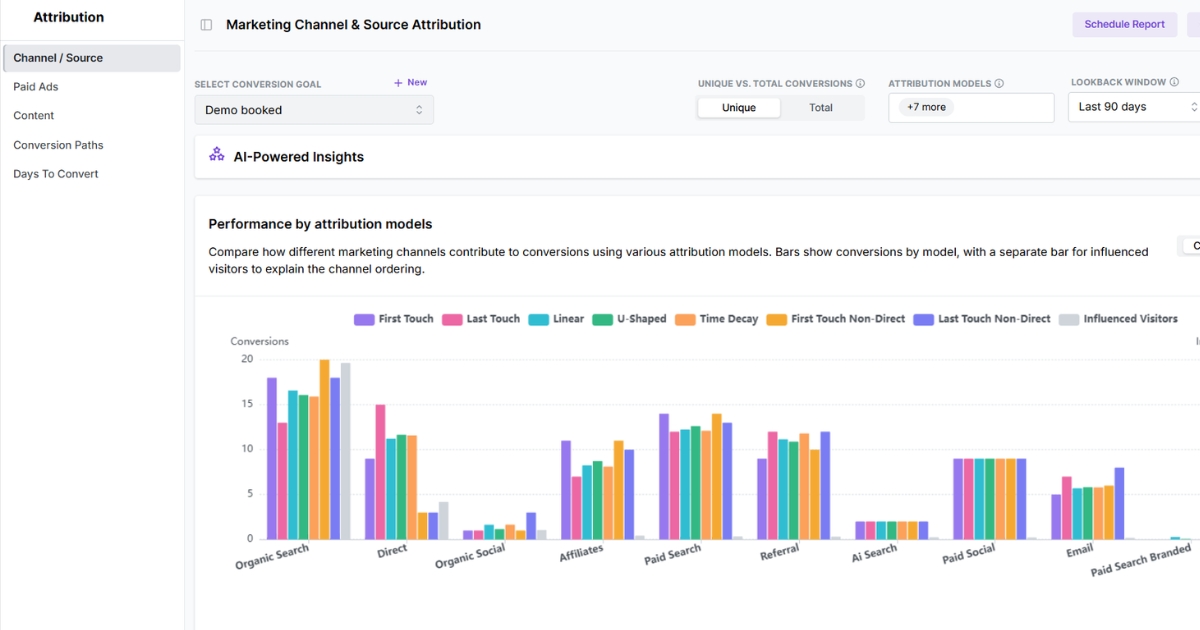
With Usermaven, conversion tracking becomes more actionable through:
- Automatic event tracking and custom events: Capture key conversion actions and define events that align with your funnel.
- Real-time insights: See conversion activity in real time and catch changes earlier.
- Marketing attribution software: Understand which campaigns, channels, and touchpoints are influencing conversions.
- Funnels: See where people move forward and where they fall off before converting.
- User journeys: Follow the steps users take before they complete a key action.
- Segments: Compare conversion performance across channels, audiences, devices, or behaviors.
- Customizable dashboards: Build reporting views around the conversion metrics and funnel stages that matter most.
To sum it up,
Conversion tracking is the line between marketing that looks active and marketing that proves its value.
Once you can see what actually leads to signups, purchases, demos, or leads, the conversation changes. You stop reporting on clicks and start reporting on results. That is where better decisions come from.
If you want that visibility without wrestling with fragmented tools, Usermaven is a powerful website analytics tool built for conversion tracking across the full journey. It helps you connect traffic sources, on-site behavior, and conversion paths in one clear view, so you can understand what is driving action and where performance starts to break.
Curious how Usermaven makes conversion tracking easier? Start a free trial or book a demo to see how it works in practice.